
Affiliate Payout Reconciliation: A Checklist From Conversions to Invoices
A finance-focused workflow for matching advertiser statements, conversion states, affiliate balances, invoices, and payment evidence before payouts are released.
Affiliate payout reconciliation is the process of proving that the amount paid to partners matches valid conversion data, agreed payout rules, and the revenue recognized from advertisers.
The goal is not simply to produce a total. A reliable process leaves a trace from each payment back to the conversions, adjustments, statements, and approvals that created it.
Why reconciliation becomes difficult
Networks often receive data from several systems. The tracking platform records clicks and conversions. Advertisers provide statements or API reports. Finance manages invoices, bank transfers, or other payment methods. Account managers may approve exceptions in messages or spreadsheets.
Differences appear because of:
- Reporting time zones
- Pending or rejected conversions
- Refunds and chargebacks
- Currency conversion
- Minimum payout thresholds
- Tiered or custom payout rules
- Duplicate transaction IDs
- Late advertiser updates
- Manual bonuses or deductions
Without a consistent review process, these differences become support disputes and margin risk.
Define a reconciliation period
Start by fixing the reporting window and time zone. A calendar month in UTC is not the same set of events as a calendar month in an advertiser's local time.
Record:
- Period start and end
- Reporting time zone
- Advertiser statement version
- Exchange-rate source and date, if applicable
- Conversion statuses included
- Cutoff policy for late changes
Use the same rules when comparing the platform, advertiser statement, and affiliate balance.
Freeze a review snapshot
Live conversion data can change while finance is reviewing it. Create a snapshot or export for the selected period so reviewers can explain which values were used.
The snapshot should include conversion ID, external transaction ID, click ID, advertiser, offer, affiliate, event date, status, revenue, payout, currency, and last update time. Keep the original source file from the advertiser with the review record.
Normalize the advertiser statement
Advertiser exports rarely match internal field names. Before matching rows, normalize dates, currencies, decimal formats, status labels, and transaction identifiers.
Create a documented mapping such as:
| Advertiser value | Internal value |
|---|---|
| Confirmed | Approved |
| Declined | Rejected |
| Refunded | Reversed |
| Order reference | External transaction ID |
Do not silently discard rows that fail parsing. Put them into an exception queue with the original value and the reason they could not be imported.
Match at the strongest available key
An external transaction ID is usually more reliable than customer name, email, or amount. When one identifier is not enough, combine advertiser, offer, transaction ID, event type, and date.
Classify results into clear groups:
- Exact match
- Amount mismatch
- Status mismatch
- Present internally but missing upstream
- Present upstream but missing internally
- Duplicate candidate
- Unable to match
This structure tells account managers what to investigate instead of giving them one unexplained difference total.
Review revenue, payout, and profit separately
Revenue and payout serve different purposes. A conversion may have valid advertiser revenue but an incorrect affiliate payout because the wrong rate, tier, or currency was applied.
For every mismatch, compare:
- The revenue value received or agreed with the advertiser.
- The payout rule active for the affiliate and offer.
- Any manual override.
- The currency and exchange rate.
- The resulting margin.
Negative or unexpectedly low margin should require review before payment approval.
Handle status changes deliberately
Pending conversions should not automatically be treated as payable unless the commercial agreement allows it. Rejected and reversed conversions need a defined effect on affiliate balances and previously issued payments.
If an advertiser reverses a conversion after an affiliate was paid, decide whether the amount becomes a future balance adjustment, a debit note, or an accepted network loss. The platform should preserve the original event and the later change rather than rewriting history without explanation.
Separate adjustments from conversions
Bonuses, deductions, corrections, fees, and carried balances should be represented as explicit adjustment records. They should include an amount, currency, reason, creator, approval state, and timestamp.
Avoid changing conversion payout values simply to force the final total to match a spreadsheet. That destroys the relationship between tracking evidence and finance evidence.
Build an approval checkpoint
Before creating a payment, require a reviewer to confirm:
- The reconciliation period is correct
- Upstream files or reports are attached
- Exceptions are resolved or documented
- Revenue and payout totals use the correct currency
- Reversals and adjustments are included
- The affiliate has passed any verification requirements
- Payment details are current
- The payable amount meets the threshold
For larger teams, separate the person who prepares the payment from the person who approves it.
Create payment and invoice evidence
A payment record should capture the affiliate, covered period, amount, currency, method, status, and the conversion or adjustment items included. If the platform creates an invoice or statement, preserve the generated document and its version.
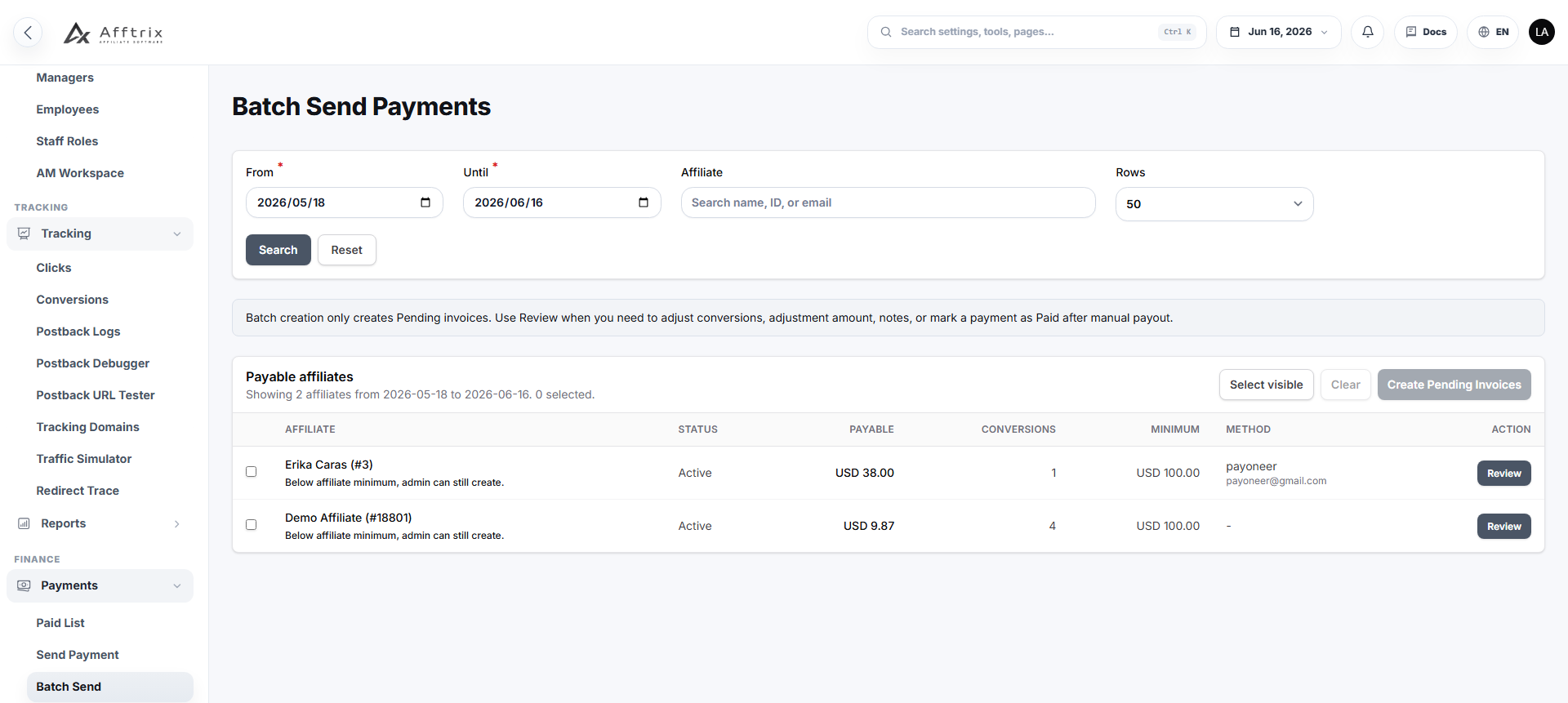
Batch payments need the same traceability as single payments. Each batch should show its member payments, totals by currency or method, creator, reviewer, and final release time.
Reconcile after payment
The process does not end when a payment is marked paid. Confirm the external transaction reference, payment date, fees, failed transfers, and returned payments. Update the internal record from evidence rather than assumption.
Keep unpaid, processing, paid, failed, and cancelled states distinct. A payout request sent to a provider is not yet a completed payment.
Monthly payout checklist
Use this condensed checklist for every payment cycle:
- Fix the period and time zone
- Export or snapshot platform conversions
- Save the original advertiser statement
- Normalize identifiers, statuses, dates, and currencies
- Match rows and classify exceptions
- Review revenue, payout, and margin differences
- Apply documented adjustments
- Confirm affiliate payment details and thresholds
- Obtain required approval
- Generate payment and invoice records
- Record external payment references
- Review failed or returned payments
- Lock or archive the completed reconciliation package
Metrics worth monitoring
Track the percentage of automatically matched rows, total value of mismatches, time to resolve exceptions, reversals after payment, payment failure rate, and margin variance. These metrics reveal whether the reconciliation process is improving or merely being completed.
Afftrix connects conversion reporting with payment, invoice, and reconciliation workflows so finance teams can review the evidence before releasing money. See the reports and payouts feature or inspect the deployment options for a closer look at the operating model.